

TL;DR: Ecommerce leaders should prioritize EAA accessibility remediation by reviewing the full buying journey and ranking barriers by frequency, customer and business impact, and legal urgency. Start with high-volume transactional tasks such as navigation, product discovery, forms, payments, checkout, and confirmations. Combine automated scans with keyboard, screen-reader, mobile, and manual testing, then maintain fixes through ongoing governance.
- Review the complete path to purchase because apps, plugins, payment tools, and post-purchase pages can introduce barriers beyond the base theme.
- Prioritize defects affecting high-volume or commercially important tasks, especially product discovery, checkout, payment, and confirmation flows.
- Use Lighthouse, axe, and WAVE as starting points, then validate findings through keyboard-only, screen-reader, mobile, and manual testing.
- Treat accessibility as an ongoing quality responsibility across campaigns, integrations, plugin installations, and theme changes.
- Bring in specialists when remediation threatens layout consistency, involves opaque payment components, or requires deeper checkout usability evaluation.
For ecommerce leaders serving shoppers in the European Union, accessibility is now an operating responsibility, not a design clean-up task. After the EAA Deadline: How Ecommerce Leaders Should Prioritize Accessibility Remediation starts with a practical question: which customer-facing barriers should the team fix first?
Ecommerce leaders should prioritize EAA accessibility remediation by reviewing the full buying journey and ranking barriers by frequency, customer and business impact, and legal urgency. Start with high-volume transactional tasks such as navigation, product discovery, forms, payments, checkout, and confirmations. Combine automated scans with keyboard, screen-reader, mobile, and manual testing, then maintain fixes through ongoing governance.
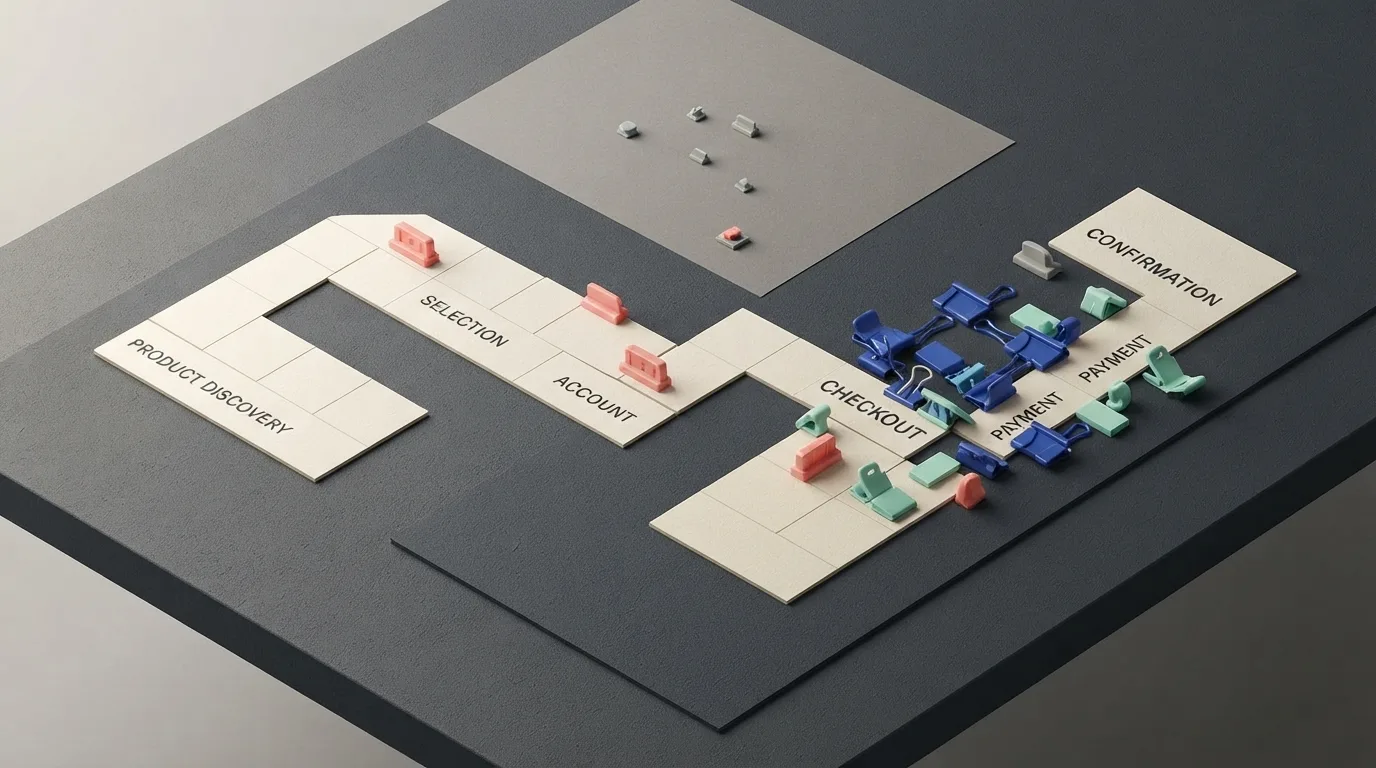
The answer requires reviewing the full path to purchase, ranking problems by frequency, business impact, and legal urgency, and then maintaining the fixes as the store changes. A single contrast check or automated scan cannot show whether shoppers can actually find products, select options, complete payment, or understand what happens after an order.
What does the EAA mean for ecommerce in 2026?
The European Accessibility Act is relevant to digital commerce services used by retailers serving EU shoppers, and its influence may extend beyond the EU when brands sell to customers there. The source references WCAG 2.1 and EN 301 549 as applicable accessibility standards.
For ecommerce teams, the practical scope includes every customer-facing stage of the buying journey:
- Menus and site navigation
- Search, filters, and product discovery
- Product and variant selection
- Forms, checkout, and payment components
- Account pages and order confirmations
- Post-purchase communications
This matters because assistive technology changes how shoppers operate and interpret an interface. A screen reader, for example, reads interface content and status messages through speech or another output. A store that works for mouse and touchscreen users may still prevent a keyboard user or screen-reader user from completing the same task.
The post-deadline decision is therefore not whether to test accessibility. It is where testing and remediation will reduce the most customer, business, and compliance risk.
Which ecommerce accessibility barriers should you fix first?
Prioritize barriers that stop shoppers from moving through high-volume or commercially important steps. Product discovery, selection, forms, checkout, payment, account activity, and confirmations should generally receive attention before lower-impact presentation issues, with each finding ranked by frequency, impact, and urgency.
Common high-risk problems include:
- Mouse-dependent dropdown menus: These can prevent keyboard-only shoppers from reaching categories, account functions, or other important destinations.
- Inaccessible search and filters: Poorly exposed controls can make product discovery difficult, particularly on stores with large catalogues.
- Missing ARIA labels: An ARIA label gives a control an accessible name when its purpose is not clear from the visible interface. Without one, a screen reader may announce a button or product selector without enough context.
- Keyboard traps: A keyboard trap occurs when a shopper enters a popup, selector, or embedded widget but cannot move focus away using the keyboard.
- Unlabeled form fields: Shoppers may have to guess what information an input requires or which field produced an error.
- Inconsistent error messages: Vague or poorly placed feedback makes it harder to correct an unsuccessful submission.
- Inaccessible payment components: A third-party payment element can block completion even when the rest of checkout is usable.
Account pages, confirmations, and post-purchase communications deserve the same attention. Returning customers need clear feedback when an action succeeds or fails. The source identifies transactional pages as having disproportionate revenue and compliance impact, making focused manual review of those pages a sensible early priority.
 AI GENERATED
Why is a base theme not enough for ecommerce accessibility?
A base theme is only one layer of risk. Apps, plugins, extensions, integrations, templates, and payment tools can alter the interface after the theme has been reviewed. The actual customer-facing implementation matters more than the apparent quality of the platform foundation.
The risks also vary by platform:
- Shopify: Sliders, popups, and third-party review components may bypass accessibility checks built into the underlying theme.
- WooCommerce: Template variations can require hands-on ARIA adjustments, while plugin conflicts may create inconsistent behavior between pages.
- Magento: Its comprehensive capabilities can make the experience complicated to review. Inconsistent layouts may affect reading order for screen-reader users.
- BigCommerce: Faceted navigation can interfere with keyboard flow and screen-reader usability when shoppers refine large product sets.
These issues do not automatically justify replacing a platform. They do mean that merchants should audit every component entering the path to purchase, including the elements responsible for discovery, checkout, reviews, popups, and payments.
How should you audit the buying journey?
A practical audit combines automated scans with human testing. Automated tools can identify likely defects, but keyboard-only use, screen-reader trials, mobile checks, and focused manual review are needed to understand whether shoppers can complete important tasks. No single audit method establishes complete compliance on its own.
A focused process should include:
- Automated scans: Lighthouse, axe, and WAVE can help identify issues involving contrast, heading structure, and colour presentation.
- Keyboard-only testing: Navigate menus, filters, product pages, forms, and checkout without a mouse. Check whether every control can be reached, whether focus remains visible, and whether it can be exited.
- Screen-reader trials: Test clarity and sequence with Windows Narrator, VoiceOver on Mac and iOS, or ChromeVox on Android. Assess whether controls, product information, errors, and status messages make sense without visual access.
- Mobile checks: Confirm that interactive elements and keyboard navigation remain usable across relevant devices and layouts.
- Focused manual review: Examine transactional pages closely, including payment, account, confirmation, and post-purchase experiences.
Record each finding against the journey step it affects. Then rank it using three dimensions:
- Frequency: How often do shoppers encounter the issue, such as through session volume?
- Impact: How important is the affected task to product discovery, revenue contribution, or order completion?
- Urgency: How significant is the associated legal and compliance risk?
This framework gives ecommerce and technology leaders a defensible way to sequence remediation. A defect affecting a heavily used filter or checkout field may deserve attention before an issue on a lower-traffic content page, even when both generate automated warnings.
Which fixes can improve accessibility and usability?
Many accessibility improvements also reduce friction for other shoppers, although they do not guarantee higher conversion or complete compliance. The immediate goal is to make the interface clearer and preserve a shopper’s sense of position throughout the journey.
Useful priorities include:
- Clear, consistent labels: Make every field and button understandable. Helpful placeholder text can support comprehension but should not replace a proper label.
- Visible focus states: Show where the keyboard user is positioned so focus is not lost in menus, product selectors, or checkout controls.
- Simpler forms: Minimize unnecessary required fields and make errors immediate and easy to notice.
- Readable typography: Avoid small text, use web-safe typefaces, and provide sufficient line spacing.
- Predictable navigation: Let shoppers find, filter, and sort products without unexpected changes in context.
These changes can support engagement and purchase completion, but their effect depends on the store, its audience, and the quality of implementation. They should be treated as part of broader remediation rather than as quick fixes that settle the compliance question.
How do you maintain accessibility after initial remediation?
Accessibility needs governance because ecommerce interfaces change continually. Seasonal campaigns, landing pages, plugin installations, integrations, and theme refreshes can reintroduce barriers after an initial repair.
Build accessibility checks into design reviews, front-end development, and testing protocols. Include new components and changes to navigation, forms, checkout, payments, and content structure in quality assurance. Keep performance and QA workflows aligned with accessibility testing so fixes survive future releases instead of disappearing during a redesign or campaign launch.
The relevant object to test is the changed experience, not just the original theme. This distinction is especially important when third-party components or platform extensions control part of the customer journey.
When should you involve an accessibility specialist?
Specialist guidance is appropriate when a problem is difficult to isolate or when remediation could affect a business-critical flow. Seek help when theme changes threaten layout and visual consistency, third-party payment tools have unknown compatibility, or checkout requires deeper usability evaluation than surface-level fixes can provide.
A specialist can combine automated scans with manual testing and front-end remediation, validate the resulting experience, and prepare documentation for discussions with EU partners. That support does not replace internal governance, but it can help teams make better decisions when platform components and commercial priorities intersect.
What should ecommerce leaders do next?
Treat EAA accessibility as an ongoing prioritization and maintenance responsibility. Start with barriers affecting the most important customer tasks, rank them by frequency, impact, and legal risk, and establish release controls that prevent later changes from undoing the work.
Focused fixes may address important barriers without a full rebuild, while complex themes, integrations, payment tools, and checkout flows may require specialist attention. The right plan connects technical findings to the tasks shoppers need to complete and keeps those tasks usable as the store evolves.
Key takeaways
- Review the complete path to purchase because apps, plugins, payment tools, and post-purchase pages can introduce barriers beyond the base theme.
- Prioritize defects affecting high-volume or commercially important tasks, especially product discovery, checkout, payment, and confirmation flows.
- Use Lighthouse, axe, and WAVE as starting points, then validate findings through keyboard-only, screen-reader, mobile, and manual testing.
- Treat accessibility as an ongoing quality responsibility across campaigns, integrations, plugin installations, and theme changes.
- Bring in specialists when remediation threatens layout consistency, involves opaque payment components, or requires deeper checkout usability evaluation.
Practical tips
- Map audit findings to specific journey steps so remediation owners can see which customer task each defect affects.
- Review third-party components whenever they change menus, filters, popups, reviews, forms, checkout, or payment behavior.
- Test visible focus states and error feedback during real keyboard-only checkout sessions rather than reviewing screenshots alone.
- Add accessibility checks to release and campaign QA before seasonal landing pages or theme refreshes go live.
Get help with complex remediation
If theme changes, third-party payment tools, or checkout usability create uncertainty, consider working with an accessibility specialist who can combine automated scans, manual testing, and front-end remediation.
Related Posts

AI Workforce Planning: Turn Productivity Into Capacity
BearingPoint's survey shows why AI productivity gains need workforce planning:…


ESPR Readiness: Map Supplier Data to Sector Milestones
Which ESPR milestone applies to your products? Map the relevant delegated act,…

ERP Implementation Costs: Transition vs. Delay
ERP benchmarks help frame transition risk, but they do not quantify the cost of…